C:\Users\xt>C:\Users\xt\Desktop\工具\LGPO.exe

LGPO.exe - Local Group Policy Object Utility
Version 3.0.2004.13001
Copyright (C) 2015-2020 Microsoft Corporation
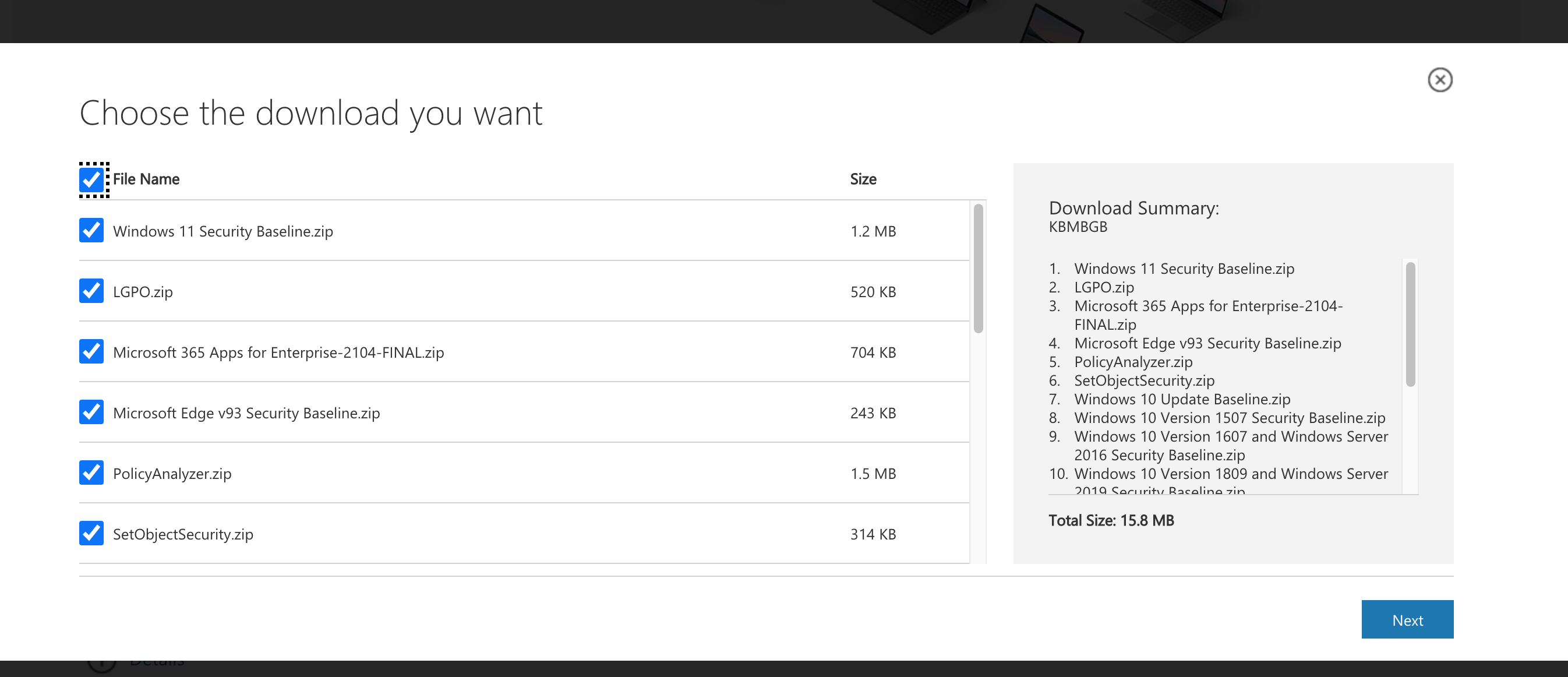
Security Compliance Toolkit - https://www.microsoft.com/download/details.aspx?id=55319

LGPO.exe has four modes:
  * Import and apply policy settings;
  * Export local policy to a GPO backup;
  * Parse a registry.pol file to "LGPO text" format;
  * Build a registry.pol file from "LGPO text".

To apply policy settings:

    LGPO.exe command [...]

    where "command" is one or more of the following (each of which can be repeated):

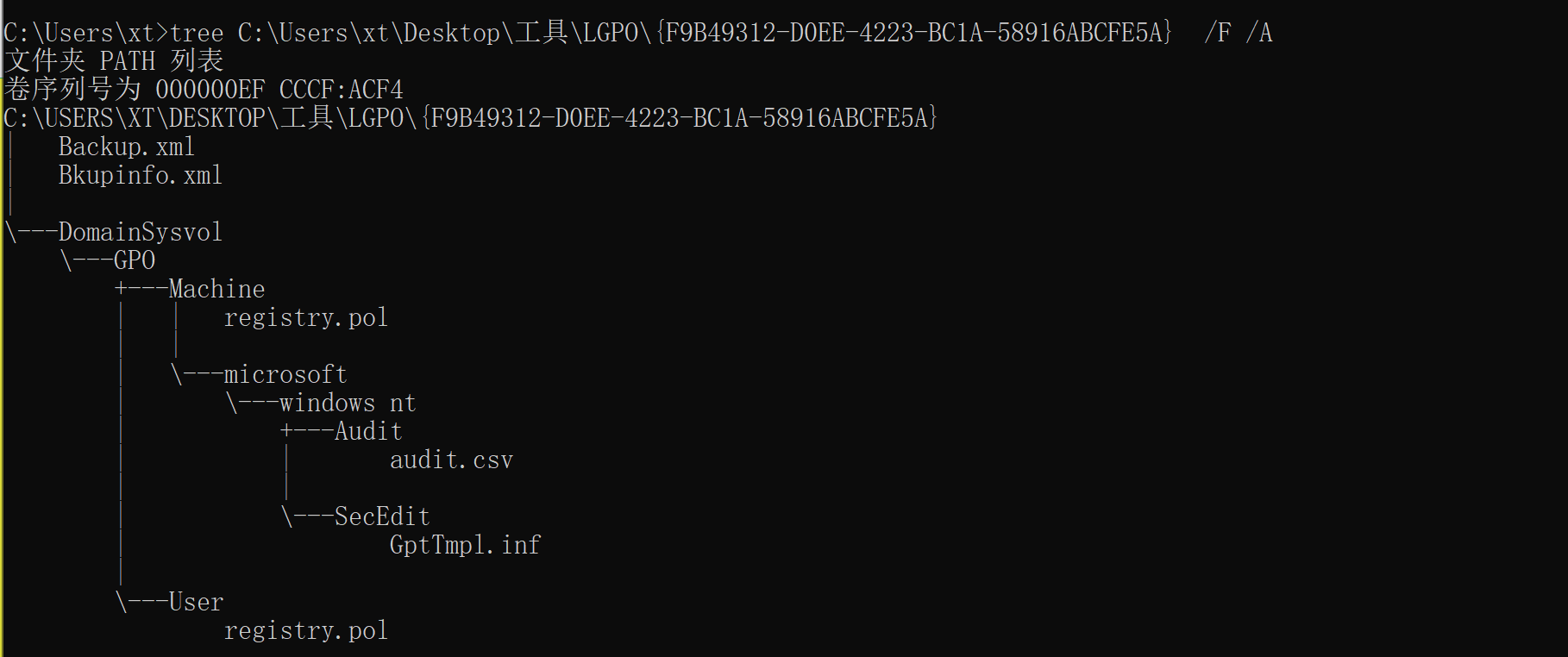
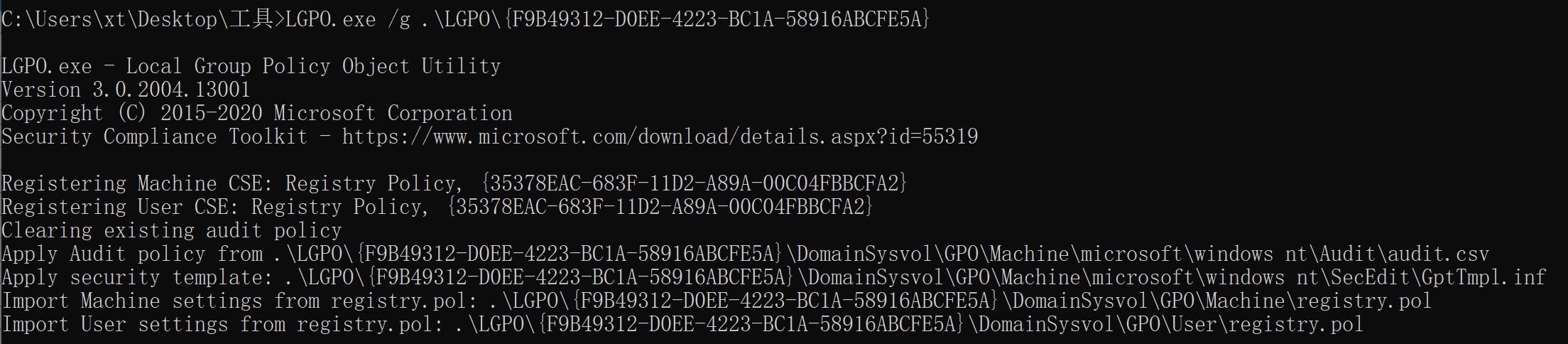
    /g path                   import settings from one or more GPO backups under "path" # 从“path”路径下导入一条或多条GPO备份
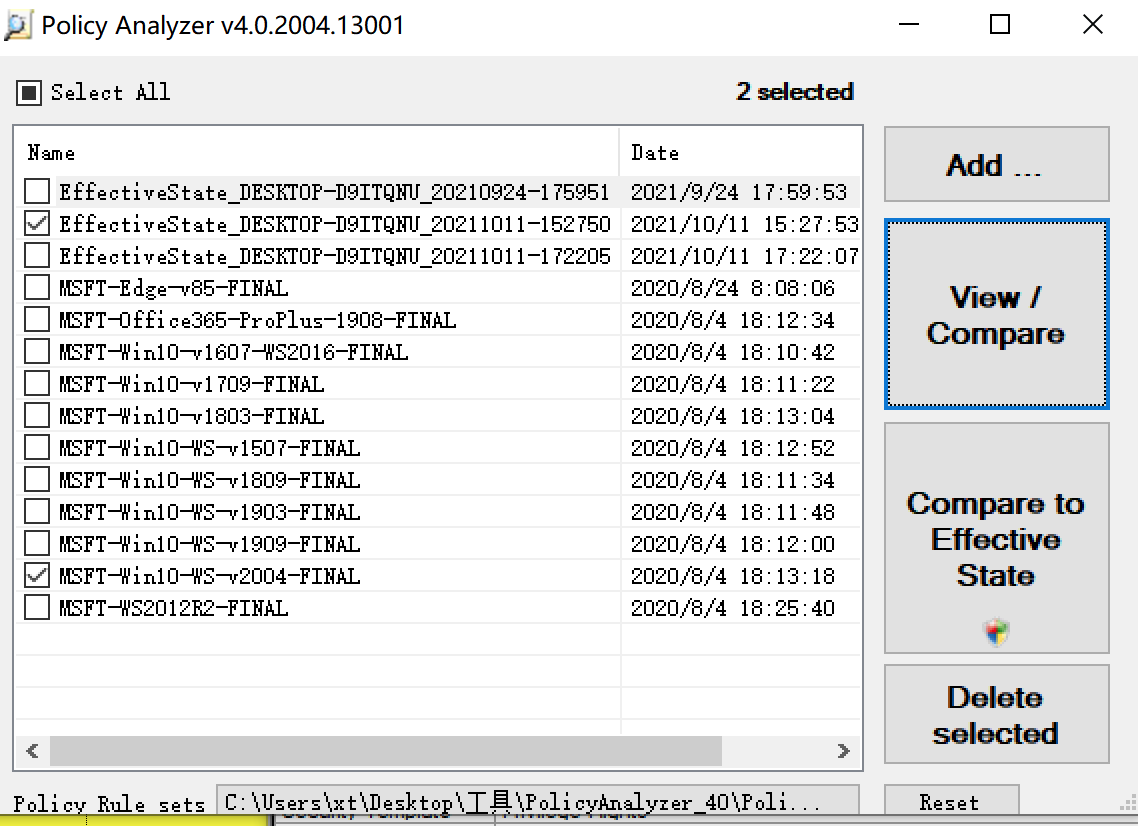
    /p path\lgpo.PolicyRules  import settings from a Policy Analyzer .PolicyRules file  # 从Policy Analyzer的.policyrules文件中导入
    /m path\registry.pol      import settings from registry.pol into machine config     # 从registry.pol导入机器配置
    /u path\registry.pol      import settings from registry.pol into user config        # 从registry.pol导入用户配置
    /ua path\registry.pol     import settings from registry.pol into user config for Administrators       # 从registry.pol导入Administrators配置
    /un path\registry.pol     import settings from registry.pol into user config for Non-Administrators   # 从registry.pol导入非Administrators用户配置
    /u:username path\registry.pol
                              import settings from registry.pol into user config for local user           # 从registry.pol导入本地用户配置
    /u:username path\registry.pol
                              specified by "username"                                           # 通过用户名指定
    /s path\GptTmpl.inf       apply security template                                           # 应用安全模版
    /a[c] path\Audit.csv      apply advanced auditing settings; /ac to clear policy first       # 应用高级设计设置;/ac 先清理策略再应用
    /t path\lgpo.txt          apply registry commands from LGPO text                            # 从LGPO文本应用注册表命令
    /e <name>|<guid>          enable GP extension for local policy processing; specify a        # 启用本地策略处理的GP扩展;指定一个GUID,或以下名称之一:
                              GUID, or one of these names:
                              * "zone" for IE zone mapping extension                               # "zone" 代表IE区域映射扩展
                              * "mitigation" for mitigation options, including font blocking       # "mitigation" 代表缓解选项,包括字体阻塞
                              * "audit" for advanced audit policy configuration                    # "audit" 代表用于高级审计策略配置
                              * "LAPS" for Local Administrator Password Solution                   # "LAPS" 代表本地管理员密码解决方案
                              * "DGVBS" for Device Guard virtualization-based security             # "DGVBS" 代表基于虚拟化的安全
                              * "DGCI" for Device Guard code integrity policy                      # "DGCI" 代表设备保护代码完整性策略
    /ef path\backup.xml       enable GP extensions referenced in backup.xml from a GPO backup   # 从GPO备份中启用backup.xml中引用的GP扩展
    /boot                     reboot after applying policies                                    # 应用策略后重新启动
    /v                        verbose output                                                    # 详细输出
    /q                        quiet output (no headers)                                         # 安静输出(没有标头)

To create a GPO backup from local policy: # 从本地策略创建GPO备份

    LGPO.exe /b path [/n GPO-name]

    /b path               Create GPO backup in "path"                                   # 在路径中创建GPO备份
    /n GPO-name           Optional GPO display name (use quotes if it contains spaces)  # 可选的GPO显示名称(如果包含空格,使用引号)

To parse a Registry.pol file to LGPO text (stdout): # 解析注册表。pol文件到LGPO文本(stdout):

    LGPO.exe /parse [/q] {/m|/u|/ua|/un|/u:username} path\registry.pol

    /m path\registry.pol   parse registry.pol as machine config commands
    /u path\registry.pol   parse registry.pol as user config commands
    /ua path\registry.pol  parse registry.pol as user config for Administrators
    /un path\registry.pol  parse registry.pol as user config for Non-Administrators
    /u:username path\registry.pol
                           parse registry.pol as user config for local user
                           specified by "username"
    /q                     quiet output (no headers)

To build a Registry.pol file from LGPO text: # 建立注册表。pol文件从LGPO文本:

    LGPO.exe /r path\lgpo.txt /w path\registry.pol [/v]

    /r path\lgpo.txt      Read input from LGPO text file
    /w path\registry.pol  Write new registry.pol file

(See the documentation for more information and examples.)

C:\Users\xt>C:\Users\xt\Desktop\工具\LGPO.exe
╭─xt@MacBook-Pro ~/Documents/hack/baseline/lynis-master
╰─$ ./lynis
[ Lynis 3.0.7 ]

################################################################################
  Lynis comes with ABSOLUTELY NO WARRANTY. This is free software, and you are
  welcome to redistribute it under the terms of the GNU General Public License.
  See the LICENSE file for details about using this software.

  2007-2021, CISOfy - https://cisofy.com/lynis/
  Enterprise support available (compliance, plugins, interface and tools)
################################################################################


[+] Initializing program
------------------------------------


  Usage: lynis command [options]


  Command:

    audit
        audit system                  : Perform local security scan
        audit system remote <host>    : Remote security scan
        audit dockerfile <file>       : Analyze Dockerfile

    show
        show                          : Show all commands
        show version                  : Show Lynis version
        show help                     : Show help

    update
        update info                   : Show update details


  Options:

    Alternative system audit modes
    --forensics                       : Perform forensics on a running or mounted system
    --pentest                         : Non-privileged, show points of interest for pentesting

    Layout options
    --no-colors                       : Don't use colors in output
    --quiet (-q)                      : No output
    --reverse-colors                  : Optimize color display for light backgrounds
    --reverse-colours                 : Optimize colour display for light backgrounds

    Misc options
    --debug                           : Debug logging to screen
    --no-log                          : Don't create a log file
    --profile <profile>               : Scan the system with the given profile file
    --view-manpage (--man)            : View man page
    --verbose                         : Show more details on screen
    --version (-V)                    : Display version number and quit
    --wait                            : Wait between a set of tests
    --slow-warning <seconds>  : Threshold for slow test warning in seconds (default 10)

    Enterprise options
    --plugindir <path>                : Define path of available plugins
    --upload                          : Upload data to central node

    More options available. Run './lynis show options', or use the man page.